
From Leads to Loyal Clients: How CRM for Interior Designers Simplifies Workflow
Designers Simplifies Workflow
Running an interior design business means wearing too many hats at once. Between managing active projects, sourcing materials, and responding to new inquiries, the business side often takes over the creative side. At Sidemark, we understand this reality, which is why interior design CRM software has become one of the most valuable tools for designers who want to grow without burning out.
When client information is scattered across email threads, spreadsheets, and chat apps, leads slip through and follow-ups get missed. A design CRM brings everything into one organized system, so you can focus on delivering great work instead of chasing down details.
What Is CRM Software for Interior Designers?
CRM software for interior designers is a system that organizes client data, tracks leads through your sales process, automates follow-up communication, and keeps your business running consistently from the first inquiry to the signed project. Unlike a basic contact list or a general-purpose tool, a design CRM is built around the way client relationships actually work in the design industry.
Why Interior Designers Need a Dedicated CRM System
The interior design industry in the United States has grown steadily over the past several years, and competition among designers for quality clients has grown right along with it. With more firms entering the market, how you manage your leads and client relationships directly affects whether your business grows or stalls.
Most designers lose potential clients not because of their design work, but because of gaps in their follow-up process. Leads reach out, receive an initial response, and then go quiet while the designer gets pulled into active projects. Without a system in place, that silence turns into a missed opportunity. A CRM for interior designers closes that gap by keeping every lead moving forward automatically, even when you are not actively managing it.
The Real Cost of Managing Clients Without a System
Many designers manage their entire pipeline through a mix of email folders, phone notes, and memory. This approach works when the client load is light, but it breaks down fast as the business grows.
Here is what that typically looks like in practice:
A new inquiry comes in while you are on-site with a client. You plan to respond later, but it gets buried.
A proposal goes out and you wait. No automated follow-up is triggered. Days pass. The potential client books someone else.
A returning client asks about a previous conversation. You spend 20 minutes digging through old threads to find the answer.
Each of these situations costs you time, money, and reputation. A design CRM eliminates all three by keeping your client data organized, your follow-ups consistent, and your communication history instantly accessible.
Key Ways Interior Design CRM Software Simplifies Your Workflow
A strong interior design CRM does more than store contact information. It actively supports the way you sell, communicate, and deliver your services across every stage of the client journey.
Centralized Client Records
Every client, lead, and conversation lives in one place. When you open a contact record, you see the full history: emails, texts, notes, project details, appointments, and forms. No switching between apps. No digging through old inboxes.
This matters most when managing several projects at once or working with a small team. Everyone accesses the same information, which keeps communication consistent and reduces the risk of missed follow-ups or conflicting messages. When a client calls with a question, you have the full context in front of you in seconds, not minutes.
Automated Follow-Up Sequences
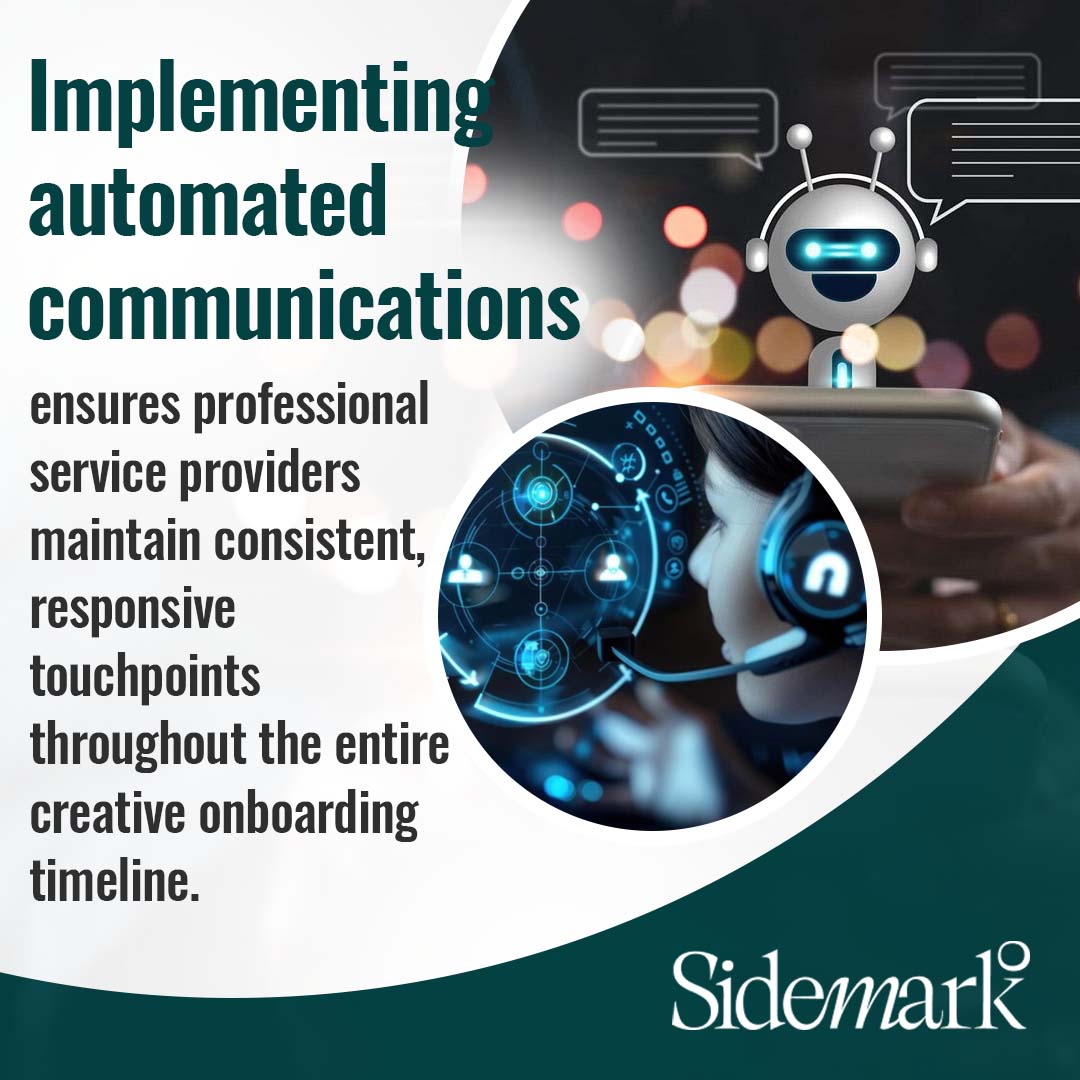
Speed and consistency are two things manual follow-up rarely delivers. A design CRM handles both automatically. When a potential client fills out a contact form, they receive an immediate confirmation. A follow-up message goes out a day or two later. If they have not booked a call, a reminder sequence continues without any manual effort on your end. This kind of consistency builds confidence with potential clients before they have even spoken with you.
According to HubSpot's 2025 ROI Report, companies using integrated CRM and business tools generate three times more leads and close 94% more deals. For interior designers, that kind of leverage comes from replacing scattered manual processes with one connected system.
Visual Sales Pipeline
A sales pipeline shows you exactly where every lead stands at any moment. You can create stages that match your actual process, such as New Inquiry, Discovery Call Scheduled, Proposal Sent, and Project Won.
Moving a lead from one stage to the next can automatically trigger a task, send a message, or update a contact record. This keeps your process consistent and gives you a clear picture of your business without having to track it manually. You can spot bottlenecks quickly, like proposals sitting without a response for too long, and take action before the opportunity disappears.
Built-In Appointment Booking
Scheduling a discovery call should not take three emails back and forth. CRM software for interior designers includes calendar booking tools that let potential clients pick a time that works, receive automatic confirmations, and get reminders before the call.
This reduces no-shows, removes friction from the early stages of the relationship, and creates a smooth first impression that reflects your professionalism. When booking a consultation feels effortless, clients start the relationship already confident in how you operate.
Unified Communication Inbox
Email, SMS, and chat messages all in one place. A design CRM pulls every client conversation into a single inbox so you can respond quickly and never lose track of a message. You no longer need to check three different platforms to stay on top of client communication. This is especially helpful during busy project phases when juggling multiple clients across different stages of work.
Email Marketing and Audience Nurturing
Not every lead is ready to book right away. Some potential clients take weeks or months before they are ready to commit to a project. A CRM for interior designers lets you stay in front of those leads with targeted email sequences, project spotlights, seasonal content, and helpful tips that keep your name top of mind. When the timing is right for them, you are already the designer they trust.
What to Look for in the Best CRM for Interior Designers
Not every CRM is built for the pace and complexity of a design business. When evaluating your options, focus on features that match how you actually work.
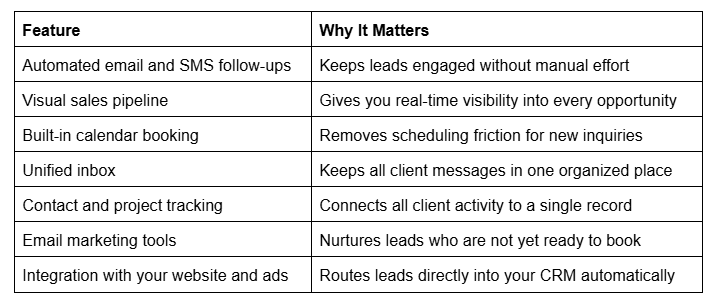
According to Salesforce, 63% of small and mid-size business leaders say that CRM software helps them provide better or faster customer service. For interior designers, faster and more reliable communication is one of the most direct ways to build client trust and win more projects.
General-purpose CRMs often require heavy customization and workarounds to fit the way a design firm operates. A platform built with interior designers in mind will require far less setup and deliver practical value from day one.
How a Design CRM Turns Leads into Long-Term Clients
The client experience begins long before the first design meeting. How quickly you respond, how consistent your follow-up is, and how organized your onboarding feels all shape whether a potential client chooses to work with you.
A CRM for interior designers makes it possible to deliver a professional, consistent experience at every stage of the relationship without adding more to your plate.
Before the Consultation
When a lead comes in, the CRM captures their information, sends a confirmation, and starts a follow-up sequence automatically. By the time they speak with you for the first time, they have already received thoughtful, timely communication that builds trust. That first impression is often what separates a booked consultation from a missed one.
During the Sales Process
The pipeline view keeps every opportunity visible. You know which proposals are waiting on a decision, which leads have gone quiet, and who is ready to move forward. Automated nudges can re-engage leads who have not responded without you having to remember to check in manually.
If a client needs more time before committing, a longer nurture sequence keeps the relationship warm. When they are ready, your name is still at the top of their list.
After the Project
Interior design CRM software also supports long-term relationship building after the project wraps. You can segment past clients, send follow-up messages at key milestones, request reviews at the right moment, or share updates on new services that match their style.
These small, consistent touchpoints turn one-time clients into repeat clients and referral sources. Over time, that network becomes one of the most reliable drivers of new business for your firm.
Why Sidemark Is Built for This
Sidemark was designed specifically for interior designers who are ready to stop piecing together separate tools and start running a more organized, scalable business. Our platform combines CRM, email marketing, automation, pipeline management, appointment booking, and a unified inbox in one system under a single login.
When a lead comes in from your website, a paid ad, or a social media link, we route it directly into your CRM. Automated sequences go to work immediately. Follow-ups go out. Consultations get booked. Every message stays connected to the same contact record, so nothing falls through the cracks.
For designers managing multiple active projects, Sidemark's pipeline view keeps everything visible at a glance. Internal notes and task reminders keep your team aligned without requiring constant check-ins. As your business grows, we grow with you by adding users, adjusting workflows, and keeping your client experience consistent from the first inquiry to the final walkthrough.
The goal is straightforward: give interior designers a system that generates leads, nurtures them automatically, and converts more of them into loyal, long-term clients.

Grow Your Design Business with Sidemark
Running a design business in Addison, Texas, and nearby areas means competing with a growing number of talented designers. The ones who stand out are not necessarily the most skilled. They are the most organized, the most responsive, and the most consistent in how they treat potential clients from the very first message.
Interior design CRM software gives you the structure to be all three. Sidemark brings that structure into one platform so you can spend less time managing your business and more time doing the work that made you start it. Less stress. More growth. More clients who stay.
Ready to simplify your workflow and win more clients? Schedule a strategy call with us today at (214) 984-3383 or [email protected].