

What Features Should You Look for in a CRM for Interior Designers?
Look for a CRM for interior designers that covers five things: detailed client and project data fields, calendar booking, a unified inbox, customizable pipeline stages, and mobile access. The strongest CRM software also builds in cloud access and automation, at a price that fits your studio. At Sidemark, we built our platform around what a design studio needs day to day, so this list focuses on features worth checking before you commit to any interior design CRM.
What Client and Project Data Fields Should a Design CRM Include?
Basic name, phone, and email fields are not enough for design work. A useful CRM for interior designers should also track:
Budget range and style preferences
Room measurements and specifications
Material and fabric selections with vendor details
Approval status on mood boards and proposals
Project timeline and key milestone dates
When these fields sit inside one client record, you are not digging through old email threads to remember what a client picked out months ago.
What Scheduling and Communication Features Should You Look For?
A design CRM should let clients book consultations from a link, with automatic confirmations and reminders, and calendar sync so multiple designers don't double-book the same slot. It should also unify email, text, and call history into one client record, so any team member can see the full conversation without hunting through separate inboxes.
Design CRM vs. General Business CRM
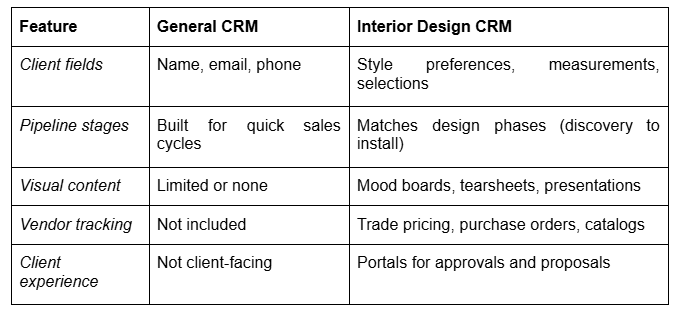
A general CRM can work if you bill mainly on design fees. If you specify products across multiple vendors, a design-specific CRM software for interior designers is usually worth the extra cost.
Are AI and Cloud Features Worth Prioritizing?
AI features are becoming more common in interior design CRM software. A Houzz survey of 722 construction and design firms found that 31% of designers now use AI in their business, up from 16% the year before, according to reporting from Business of Home. Treat AI extras like drafted emails as a bonus, not a must-have.
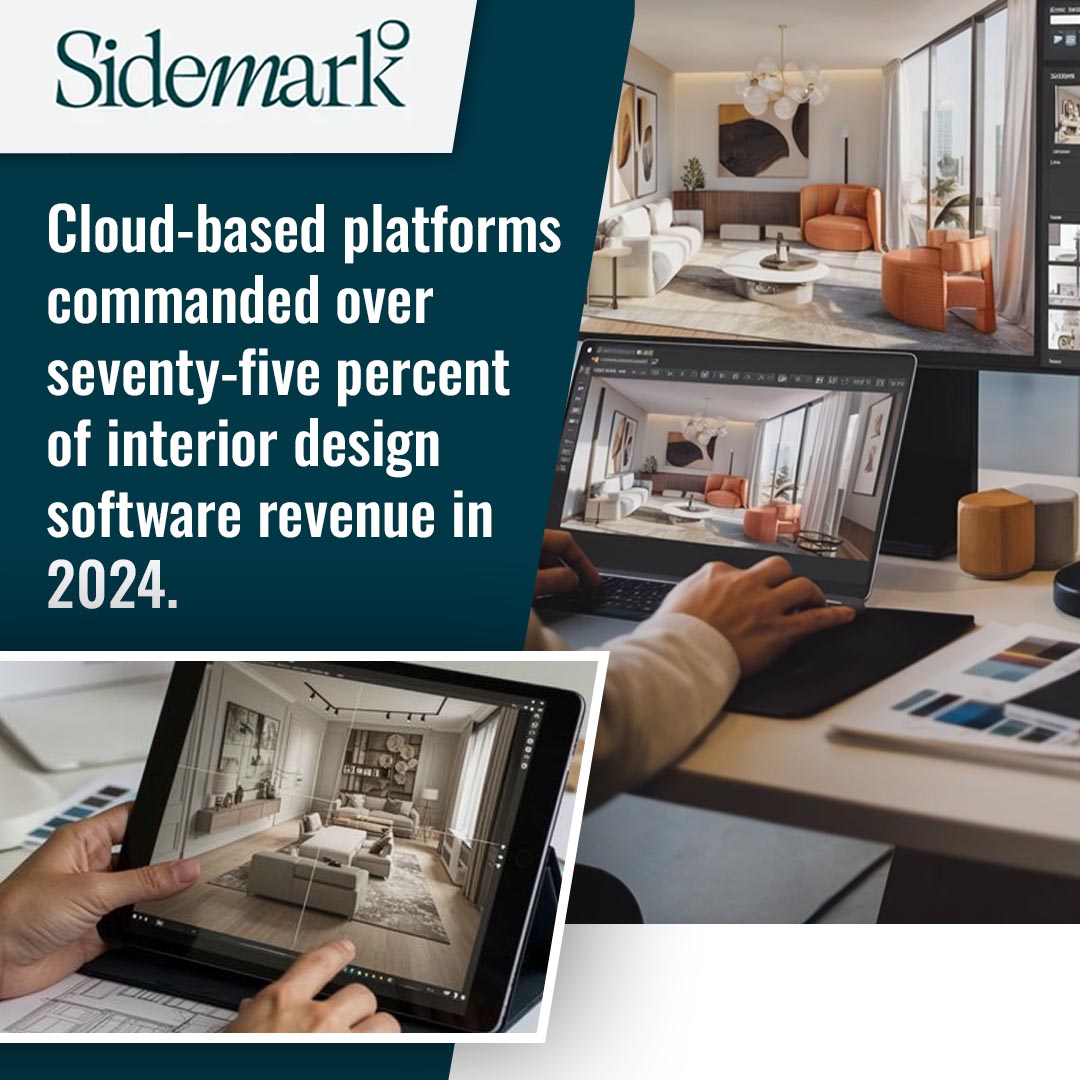
Cloud access matters more. Cloud-based platforms held over 75% of the interior design software market's revenue share in 2024, according to Grand View Research. A cloud-based CRM lets your team pull up client records from a site visit, not just from a desk.
What Should You Check Before Choosing CRM Software?
Pricing structure: Compare monthly cost per user against what each plan includes.
Mobile access: A usable mobile app matters since site visits keep you away from a desk.
Customization: Pipeline stages and fields should match your workflow, not a generic sales process.
Trial period: Test the system with real client data before a full migration.
Frequently Asked Questions
1. Does a CRM for interior designers need built-in AI features?
Not necessarily. AI extras can save steps, but a CRM without them can still cover core client and project tracking.
2. Should I choose an industry-specific CRM or a general CRM?
Heavy vendor procurement and trade pricing usually justify a design-specific CRM. Design-fee-only studios can often manage with a general CRM and custom fields.
3. Is mobile access necessary for a design CRM?
Yes, in most cases. Site visits and vendor meetings happen away from a desk, limiting how quickly you can log details without one.

Ready to Compare CRM Features for Your Studio?
Choosing the right CRM for interior designers means matching features to how your studio works. Sidemark's marketing and sales software brings client records, scheduling, and communication into one platform built for design businesses.
Schedule a strategy call with us today at (214) 984-3383 or email [email protected] to see the features in action, or check out our SEO services for interior designers to pair strong client management with a steady flow of leads from Sidemark.